Brief the team.
Read what landed.
Patch is a Mac app for running Claude Code and Codex across your projects. Give a project manager agent a brief, follow its workers, and review what they deliver. Alerts lists what is waiting on your decision.
One Apple silicon Mac Claude Code sign-in with your own subscription Codex optional
The current customer offer runs on one Mac. Phone access and adding other machines are not currently available with this offer. Linux source builds are limited to invited collaborators.

Cross-machine consults shown here are experimental, off by default, and not included in the current one-Mac customer offer. The game and store listing are examples.
- Self-hosted
- Claude Code or Codex, per project
- Agents run on your Mac, never ours
- History stored on your hardware
From one brief to a reviewable result.
Say an orders API has three items on its to-do list: a rate limit, request validation, and moving orders out of memory. Here is one brief, step by step, in Patch on one Mac.
-
Brief the project manager
Ask the PM agent to queue the first two items as two jobs, each on its own branch. Turn the Queue on, and two workers pick up one job each.
-
Make the decision that’s yours
The PM asks whether moving orders out of memory should wait for the first two. The question shows up under Needs you, and you answer it there.
-
Review what came back
Each worker’s report shows its checkout, its branch and whether it pushed, before you decide what to review or send back.
Example The first worker pushed its branch, rate-limit-orders; nothing is merged to main yet.
Set up and turn on the Queue for the project before using this workflow. Separate worker checkouts require a Git repository.
See the whole team three ways.
Run agents in separate windows and each one is a tab of its own. With several going, you lose track of which is which, and of which one has stopped to wait for you. In Patch every conversation belongs to a project on your Mac, and Alerts lists the ones waiting on you.
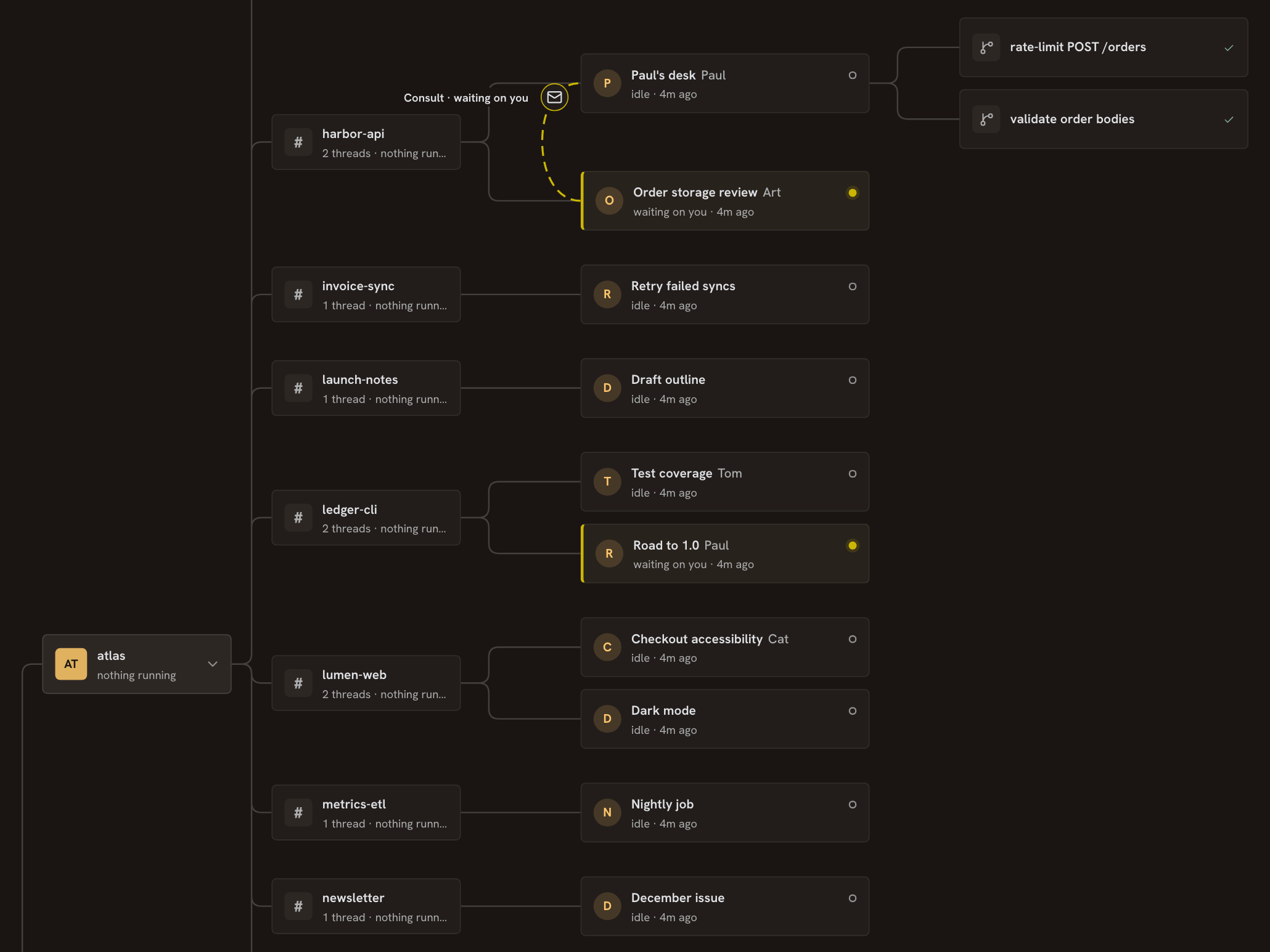
The Agent map: who is doing what
An Agent map of your projects, threads and workers on your Mac. It is a live tree: open a card for its role, its status and what it last delivered. A thread that is waiting on you says so.
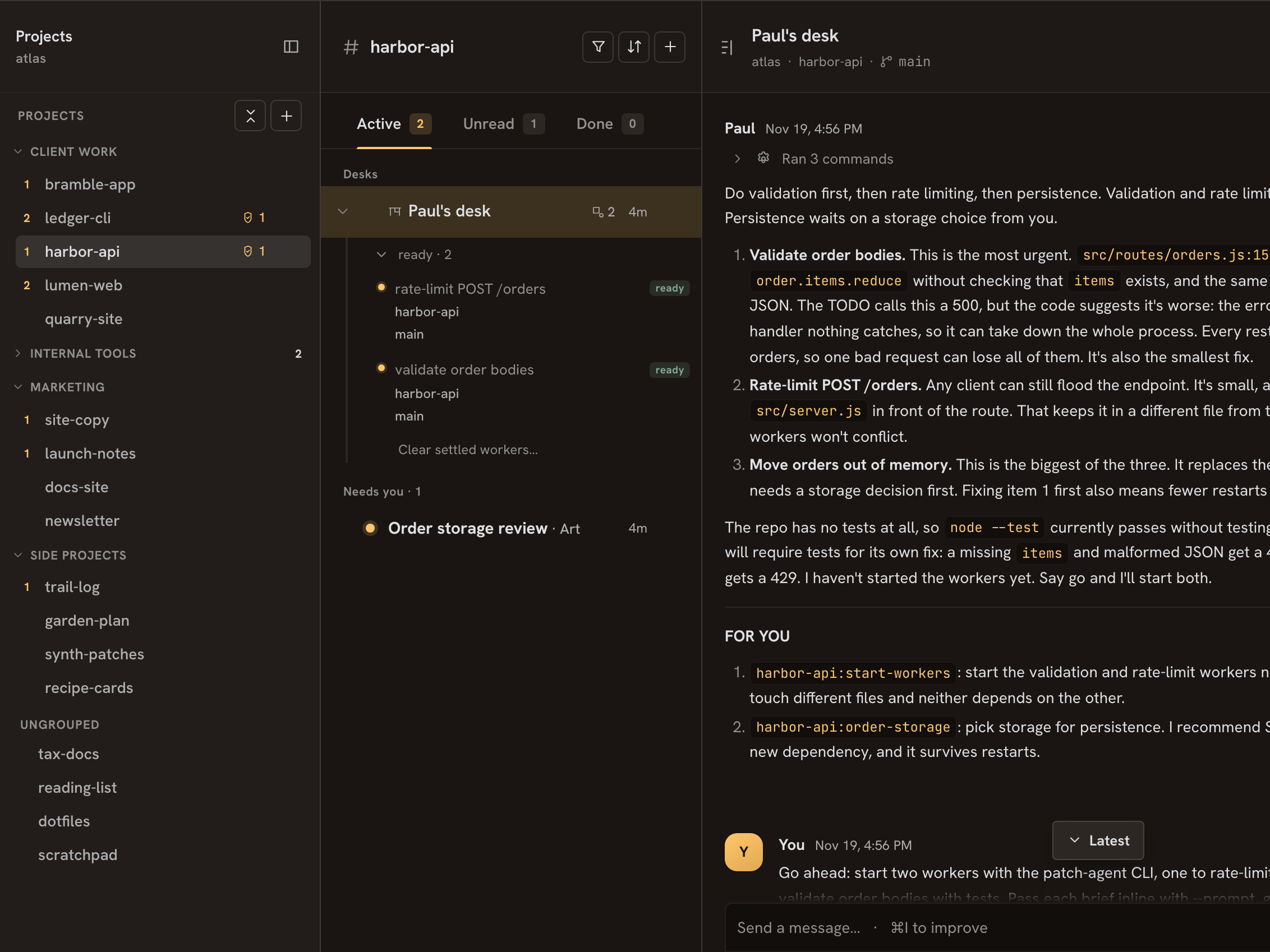
Projects: where the work lives
Each project is a folder on your Mac. Open one for its conversation and the threads that branch from it. Group projects under your own headings, and fold a group to shorten the list.
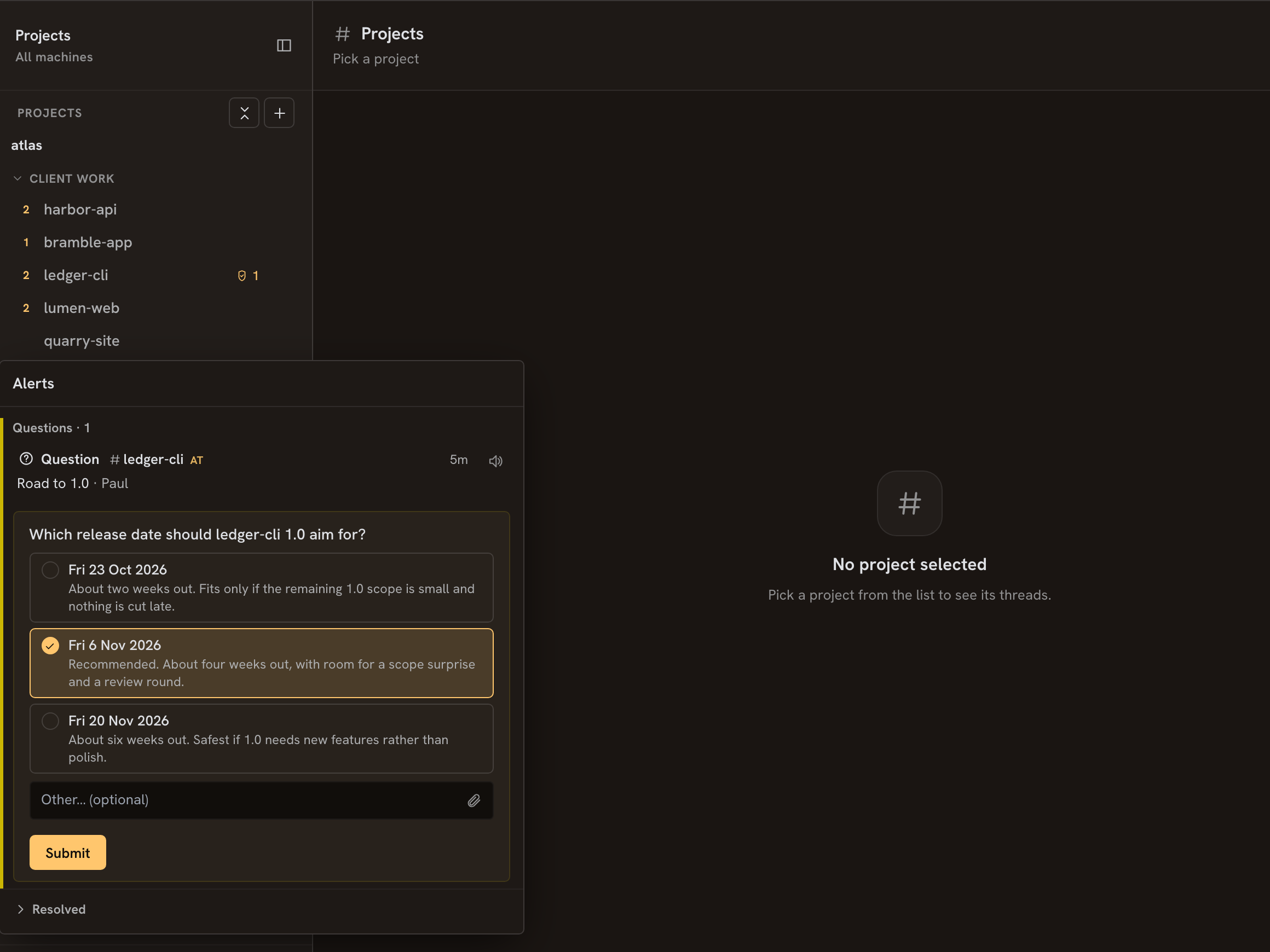
Alerts: what needs you
What is waiting on you, in one panel. Answer a question there without opening its thread. When nothing needs you, it says so.
The work doesn’t wait for your desk.
Message an agent, put one on a schedule, or brief a PM agent that runs the team. The work runs on your Mac while it stays awake.
Open a project — a folder on your Mac with its own conversation and threads — and you’re in a real agent session, not a log tail. Review the diff on your Mac and decide what to do next.
Schedules and heartbeats wake an agent while you sleep. The subscription you already pay for stops idling overnight.
Brief one PM agent and it splits the job: each worker takes a piece, in its own copy of the project. It is opt-in for each project and takes a setup step.
Start the work before you step away. Review it when you return.
Five short films. A night, a day, and the shape behind them.
Each runs under a minute. Two show the work: one night of it, then a whole day seen from above. Three show the shape behind it: a brief handed down, the report that comes back with its proof, and one agent’s question to another, held for your go-ahead.
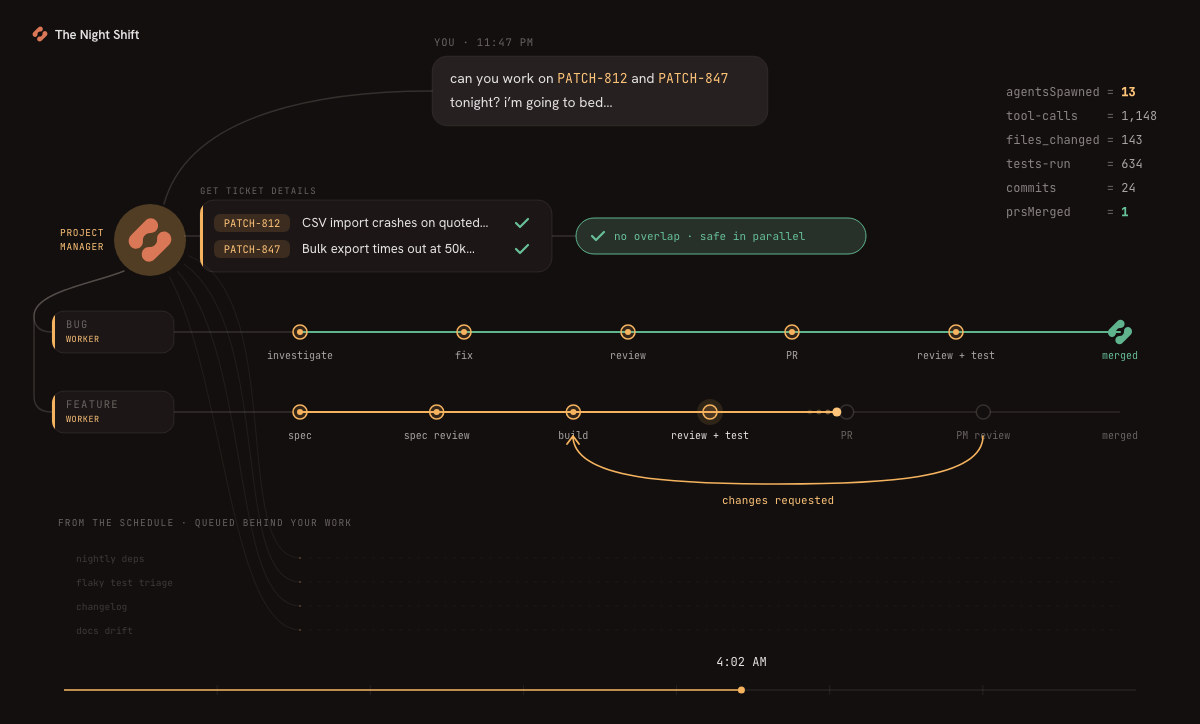
The Night Shift
Two ticket numbers at 11:47 PM — that’s the whole message. Six PRs merged by 6:31 AM.
The All-Clear
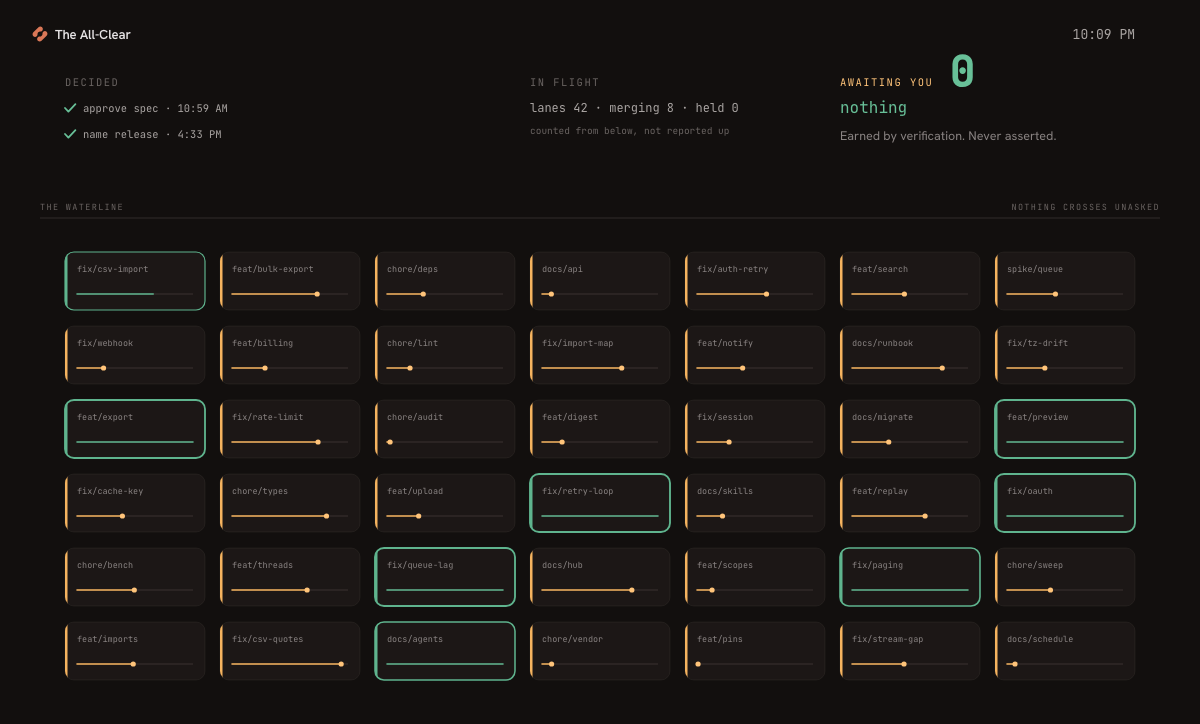
A full working day, sped up. Two things need you at 9:02, and by evening the list reads nothing.
The Org Chart
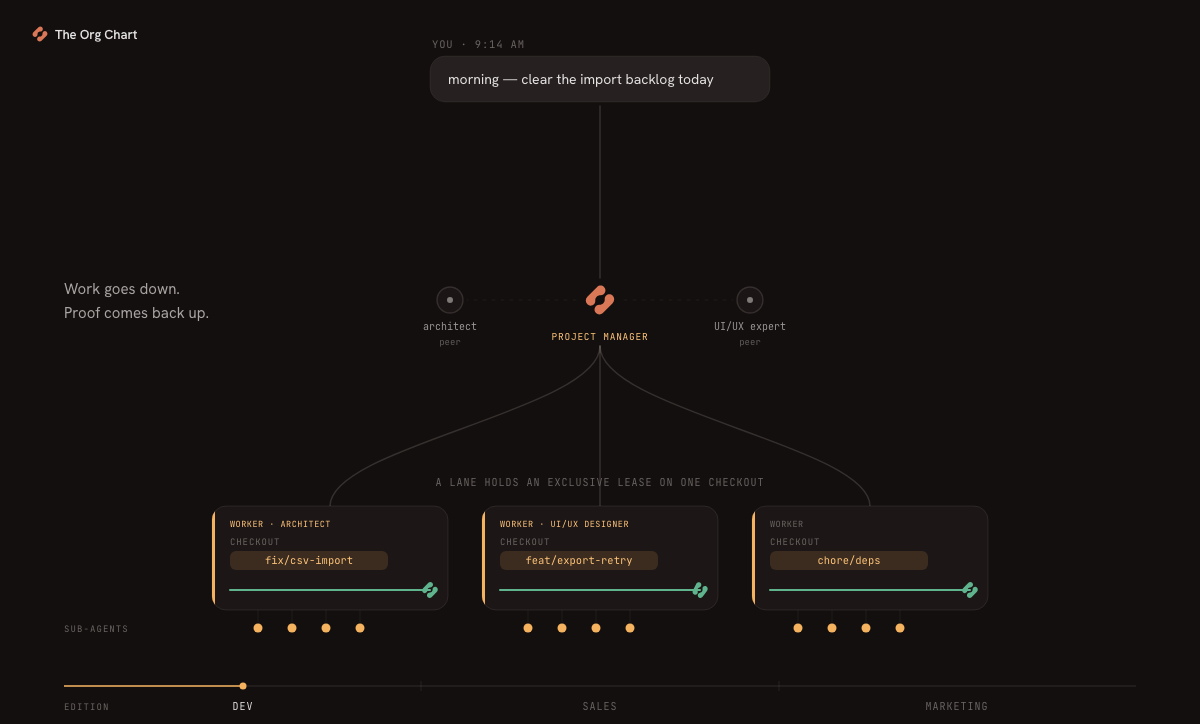
One instruction goes down and the work comes back with its evidence. Then the same, for sales and for marketing.
The Receipt
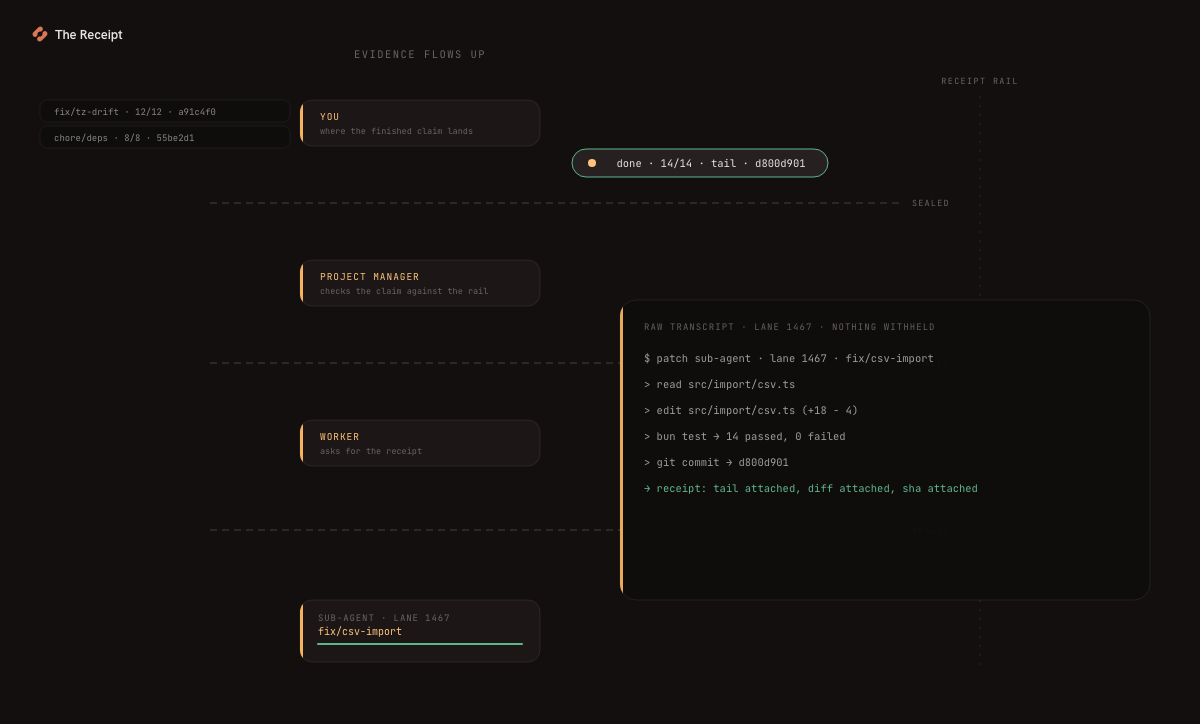
Why you can believe “done”. A claim travels back up only with its proof attached: a test run, a diff, a commit.
The Go-Ahead
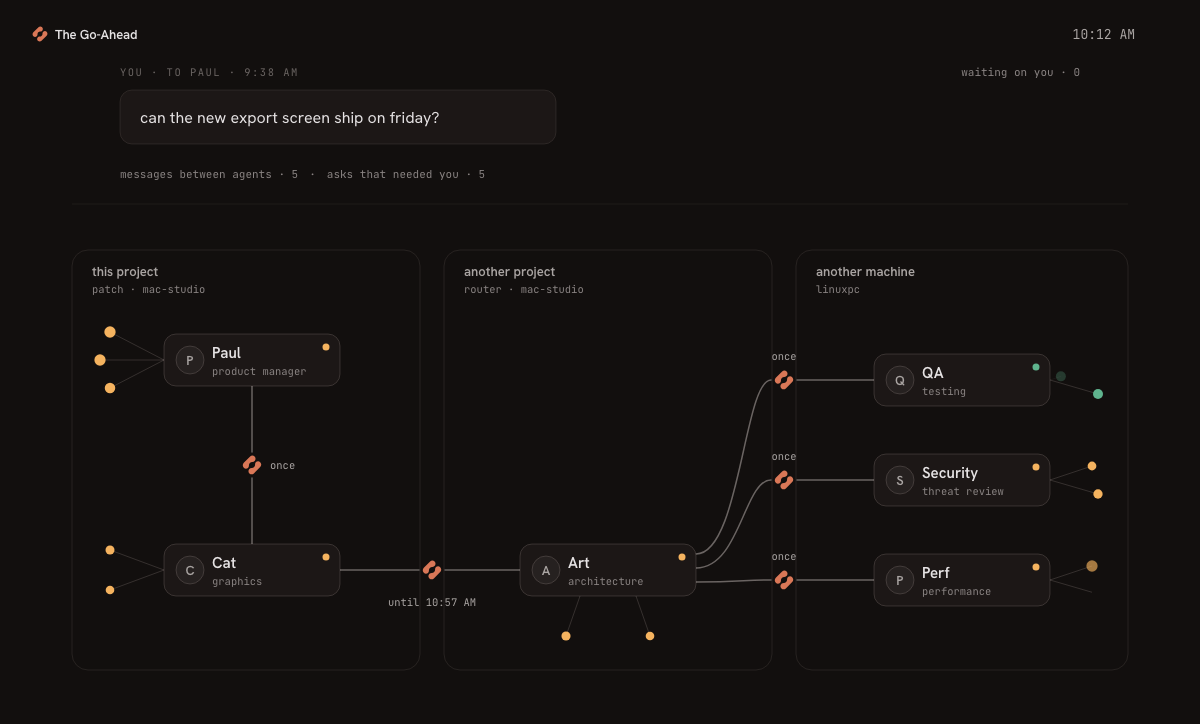
An agent wants to ask another agent. The question stops, and you are asked first.
Built for people who run more than one agent at a time.
It asks when it needs you
When an agent needs a decision, its turn ends with a question. Pick an answer or type one, and it carries on from where it asked. Alerts lists what is waiting on you, and you can answer there without opening the thread. When nothing waits, it says so.
Steer it while it works
Its thinking and every step it takes land as they happen. Send a message mid-turn and it waits until the turn settles, or stop the turn and send it now. What the agent had already written is kept.
Run a whole team, in parallel
Every project works in its own folder, with its own conversation and threads, so several can be working at once. Run several projects on your Mac, subject to its capacity and your Claude or Codex plan. You move between them from one list in the Viewer, not one window at a time.
Give an agent a role
Pick an Agent Profile for a thread and it works as a project manager, a technical writer, a UX designer or a brainstorming partner. Patch ships the roles. Edit them, or write your own, like an account researcher or a copy editor.
Schedule & heartbeat
Wake an agent on a schedule or a heartbeat — a morning digest, a weekly report, nightly dependency bumps. No one has to be watching.
Works in your real folders
The agent works in the folder itself: a code repository, a folder of drafts, your notes. It reads the instructions you keep there, so what comes back is your files, changed, not text you have to copy over.
You review the work, not progress bars.
Patch is built in Patch.
William Lettieri uses Patch to direct the agents that plan, build, and test Patch. In one build-log entry, a worker followed its QA brief and passed the checks. An independent review found an input the brief had missed.
Run Patch on a Mac you control.
Patch runs the agents and stores conversation history on hardware you control. Agents send task context to your AI providers and any services you connect.
-
On your Mac
Patch runs its Hub, Runners and agents on hardware you control, using your own AI-agent accounts. Conversation history is stored on hardware you control.
-
AI providers and connected services
Agents can send data to their AI providers and connected services under those services’ own terms and privacy notices.
-
Patch services
Builds that enforce activation contact activate.patchcove.com at activation and normally once a day afterwards. We receive access requests and keep license and activation records. Problem reports are optional; during setup help we may see information you show us.
See the Privacy Policy for service records, optional sharing, network requests and website analytics.
Your setup
- Bring one Mac you control. Keep it awake while work runs.
- Use your own agent subscriptions. Setup requires Claude Code. You can use Codex if you also have access to it.
Why your hardware?
Because the context is what makes the work good, and the context is already on your machine — your files as they are right now, the draft you left half-finished, your tools, your logins, the instructions you keep for the agent. Here the agent starts where you left off.
Bring a project to Patch.
Patch is opening to a small group first. Tell us what you’d use it for, and we’ll email you when there’s a place for you.
The current customer offer runs on one Mac. Phone access and adding other machines are not currently available with this offer. Linux source builds are limited to invited collaborators.